Internet Security Guard Removal Guide
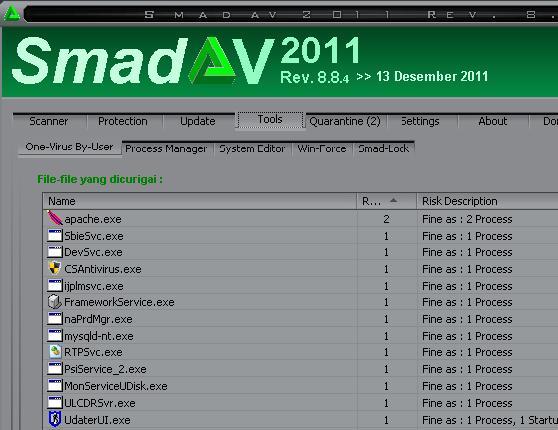
Kill Process
(How to kill a process effectively?)
[random].exe
scandsk107d_8027.exe
Delete Registry
HKEY_CLASSES_ROOT\.exe\DefaultIcon “(Default)” = ‘%1?
HKEY_CLASSES_ROOT\.exe\shell\open\command “(Default)” = ‘”%UserProfile%\Local Settings\Application Data\.exe” /START “%1? %*’
HKEY_CLASSES_ROOT\.exe\shell\open\command “IsolatedCommand” = ‘”%1? %*’
HKEY_CLASSES_ROOT\.exe\shell\runas\command “(Default)” = ‘”%1? %*’
HKEY_CLASSES_ROOT\.exe\shell\runas\command “IsolatedCommand” = ‘”%1? %*’
HKEY_CLASSES_ROOT\exefile “Content Type” = ‘application/x-msdownload’
HKEY_CLASSES_ROOT\exefile\shell\open\command “(Default)” = ‘”%UserProfile%\Local Settings\Application Data\.exe” /START “%1? %*’
HKEY_CLASSES_ROOT\exefile\shell\open\command “IsolatedCommand” = ‘”%1? %*’
HKEY_CLASSES_ROOT\exefile\shell\runas\command “IsolatedCommand” = ‘”%1? %*’
HKEY_CURRENT_USER\Software\Classes\.exe “(Default)” = ‘exefile’
HKEY_CURRENT_USER\Software\Classes\.exe “Content Type” = ‘application/x-msdownload’
HKEY_CURRENT_USER\Software\Classes\.exe\DefaultIcon “(Default)” = ‘%1? = ‘”%UserProfile%\Local Settings\Application Data\.exe” /START “%1? %*’
HKEY_CURRENT_USER\Software\Classes\.exe\shell\open\command “IsolatedCommand” = ‘”%1? %*’
HKEY_CURRENT_USER\Software\Classes\.exe\shell\runas\command “(Default)” = ‘”%1? %*’
HKEY_CURRENT_USER\Software\Classes\.exe\shell\runas\command “IsolatedCommand” = ‘”%1? %*’
HKEY_CURRENT_USER\Software\Classes\exefile “(Default)” = ‘Application’
HKEY_CURRENT_USER\Software\Classes\exefile “Content Type” = ‘application/x-msdownload’
HKEY_CURRENT_USER\Software\Classes\exefile\DefaultIcon “(Default)” = ‘%1?
HKEY_CURRENT_USER\Software\Classes\exefile\shell\open\command “(Default)” = ‘”%UserProfile%\Local Settings\Application Data\.exe” /START “%1? %*’
HKEY_CURRENT_USER\Software\Classes\exefile\shell\open\command “IsolatedCommand” = ‘”%1? %*’
HKEY_CURRENT_USER\Software\Classes\exefile\shell\runas\command “(Default)” = ‘”%1? %*’
HKEY_CURRENT_USER\Software\Classes\exefile\shell\runas\command “IsolatedCommand” – ‘”%1? %*’
HKEY_LOCAL_MACHINE\SOFTWARE\Clients\StartMenuInternet\FIREFOX.EXE\shell\open\command “(Default)” = ‘”%UserProfile%\Local Settings\Application Data\.exe” /START “C:\Program Files\Mozilla Firefox\firefox.exe”‘
HKEY_LOCAL_MACHINE\SOFTWARE\Clients\StartMenuInternet\FIREFOX.EXE\shell\safemode\command “(Default)” = ‘”%UserProfile%\Local Settings\Application Data\.exe” /START “C:\Program Files\Mozilla Firefox\firefox.exe” -safe-mode’
HKEY_LOCAL_MACHINE\SOFTWARE\Clients\StartMenuInternet\IEXPLORE.EXE\shell\open\command “(Default)” = ‘”%UserProfile%\Local Settings\Application Data\.exe” /START “C:\Program Files\Internet Explorer\iexplore.exe”‘
Remove Folders and Files
remove the files stated in the autorun setting.
%AllUsersProfile%\[random]
%AppData%\Roaming\Microsoft\Windows\Templates\[random]
%AppData%\Local\[random].exe
%AppData%\Local\[random]
%Temp%\[random]Sumber: free of virus